Does recognition upload my audio or video?
No. Recognition and editing run on your computer, and SpeechSub has no cloud recognition. The app reads files you choose and saves captions, drafts, and necessary temporary files on that computer.
 SpeechSub
简体中文

A macOS app for local speech recognition and caption proofreading
SpeechSub turns speech into captions on your Mac, then lets you fix them against the waveform.
Recognition runs on your computer. The audio and video you choose are not uploaded to SpeechSub’s servers.
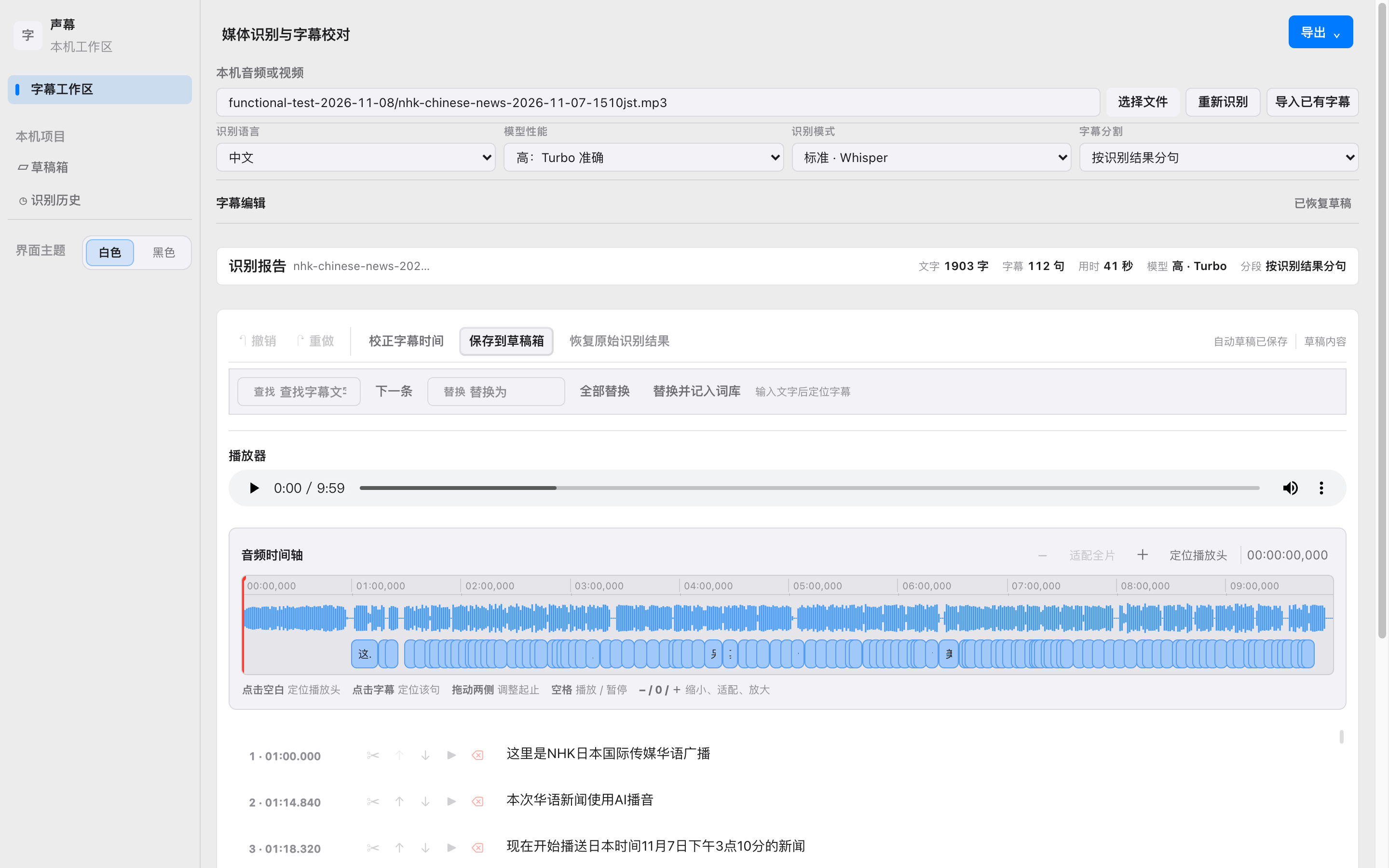
Recognition, proofreading, import, and export all happen on your computer.
Choose audio or video and get captions from local Whisper. High-resolution video is recognized from its audio track, and the whole video is not read into memory.
Edit text on the timeline and find and replace. Your glossary can correct common mistakes after recognition without moving timestamps. Playback from 0.5× to 3× changes listening speed only.
Bring in existing SRT, WebVTT, ASS, or SSA and edit without recognizing again. Export SRT, WebVTT, ASS, or TXT. Named drafts stay on this computer.
Proofreading does not require a recognition model. The speech-or-silence file ships with the app: ggml-silero-v6.2.0.bin (885,098 bytes). Optional timing correction is about 1.8 GB, and the size is shown before the download.
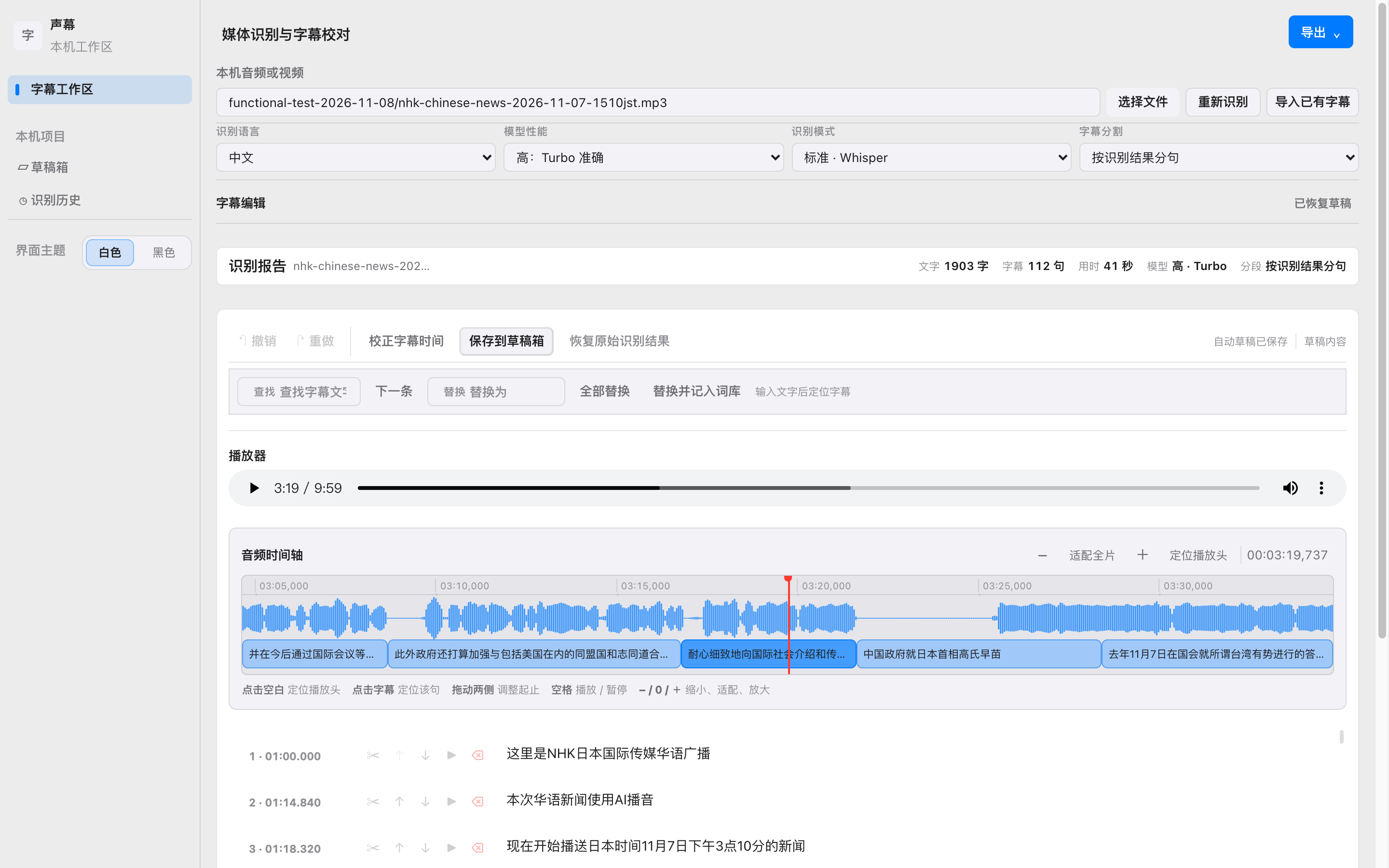
The questions that come up in use, answered here.
No. Recognition and editing run on your computer, and SpeechSub has no cloud recognition. The app reads files you choose and saves captions, drafts, and necessary temporary files on that computer.
Not always. Importing, proofreading, and exporting do not need a recognition model. To recognize new audio or video, download Whisper when you need it: about 78 MB, 252 MB, or 834 MB, with the size shown first. The file that separates speech from silence ships with the app, ggml-silero-v6.2.0.bin (885,098 bytes), so you do not download it separately.
An optional step. Whisper writes the captions, then Qwen aligns the timing. It does not turn speech into text. That model is about 1.8 GB, downloads only when you need it, and shows its size first. If it is not on your computer yet, the app asks you to download it instead of finishing on its own.
It does not work yet. Apple Speech is a system capability. It does not appear in model management, and you do not download it as a recognition model. Settings may show the switch, sometimes only on macOS 26 or later, but it is still a preview and is not connected to recognition. Recognition stays on local Whisper.
Yes. Import SRT, WebVTT, ASS, or SSA, then preview, edit, and export on your computer.
Edited captions export as SRT, WebVTT, ASS, or TXT.
Email 6666699999@live.com. Do not attach passwords, keys, complete media files, or unredacted transcripts. This site does not offer a download or a purchase link.
SpeechSub and TalkTrim are macOS tools from the same editing family. TalkTrim suggests reviewable rough cuts for Final Cut Pro spoken-word projects. SpeechSub handles local recognition and caption proofreading. TalkTrim website